Rolling Credits

Put Final Cut Pro X, Adobe Premiere Pro or the host of your choice to work for you to create long lists of ending credits in a creative and interactive way.
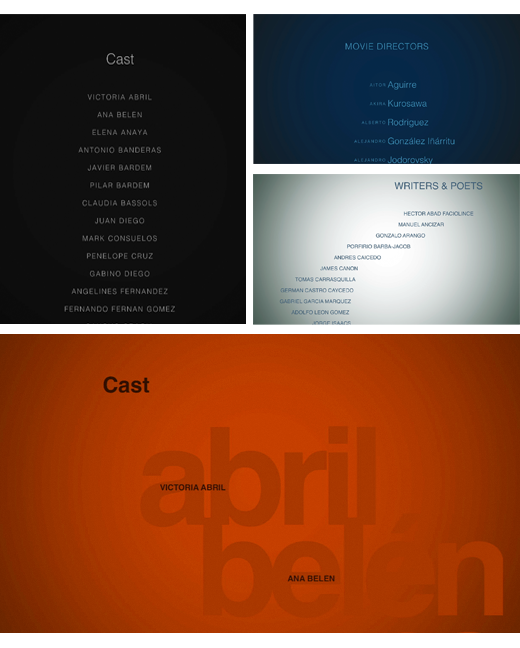
Choose from a variety of styles
Wether you like the conventional style, modern looking, creative or off-the wall, we are sure there is a style that fits the character of your movie.
How to install.
Once you have installed the latest version of the free FxFactory, restart Final Cut Pro X and you will find the Rolling Credits category in your Generators Browser.
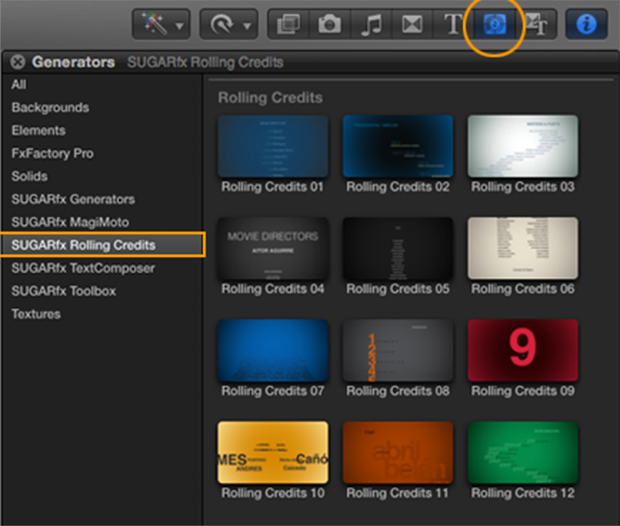
Look for the filters or generator menu in other supported host applications.
Easy to use.
Just drag and drop the Rolling Credit generator of your choice in your editing timeline, and use the on-screen-controls to import your text and do the necessary adjustments for speed, style and color.
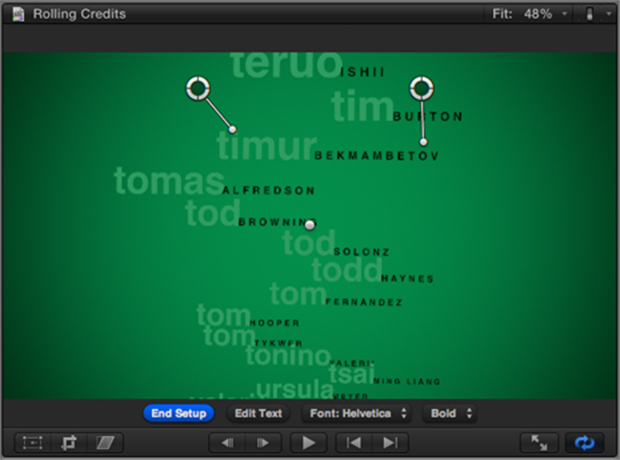
Customization.
All of the Rolling Credits can be fully customized if necessary, by using the parameters found in the Inspector window.
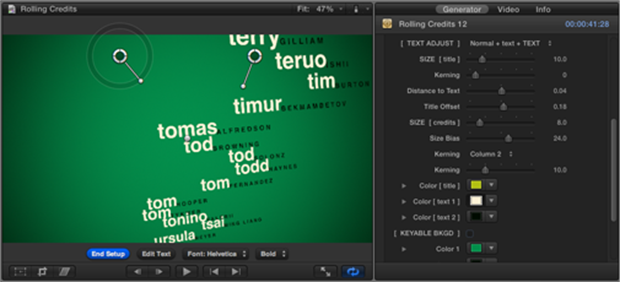
Start with a style that you like and change its color palette, font, size and other parameters to make it fit the look and feel that you are looking for.
There is only one Title for each set of credits, so you can layer several styles and sections of the credits to create a complete and diverse mix of credit rolls.
You can also DOWNLOAD SAMPLE TEXT FILES to try out Rolling Credits immediately.
Download and Try.
You can download and install the free trial as part of FxFactory.
 |

|
|